
 By James Anderson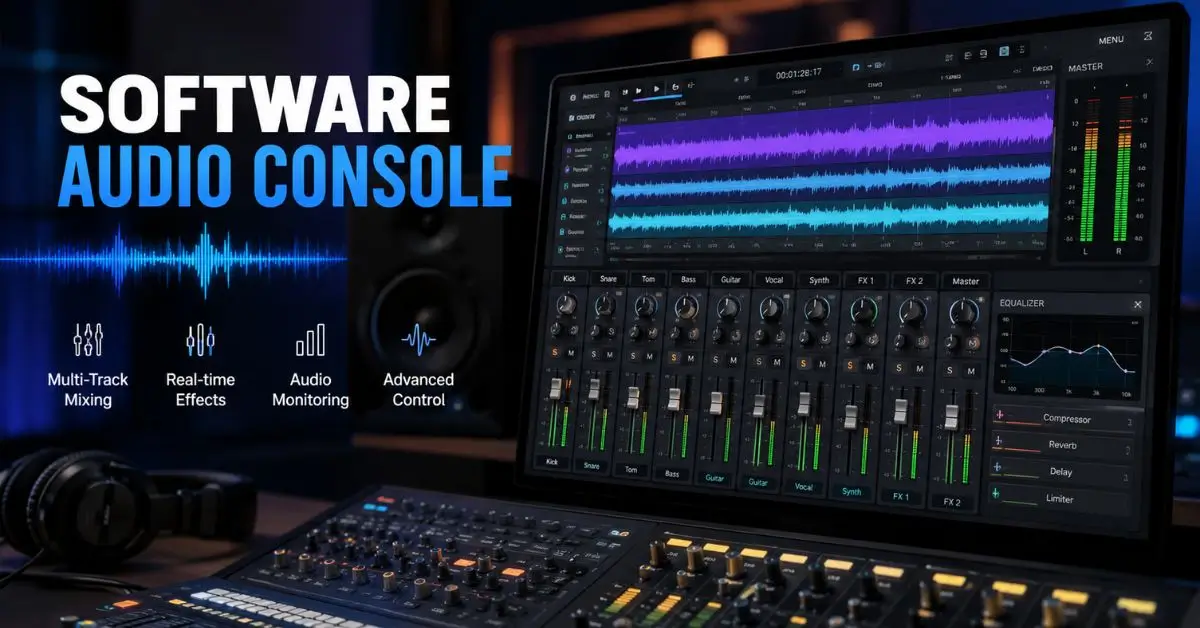
Audio mixing used to require a room full of physical hardware. A traditional mixing console, with its rows of faders, knobs, and signal routing options, was an expensive, space-consuming piece of equipment that put professional audio control out of reach for most individuals and small organizations.
Software changed that completely. Today, the same mixing capabilities that once required a $50,000 hardware console are available through software that runs on a standard laptop or desktop computer at a fraction of the cost, a fraction of the physical footprint, and with significantly more flexibility than hardware ever allowed.
The challenge now is not access. It is understanding what software audio consoles actually are, how they work, which ones suit different use cases, and how to get the most out of whichever option you choose. That is exactly what this guide covers from start to finish.
A software audio console is a computer-based application that replicates or extends the functions of a physical audio mixing console, allowing users to control audio signal levels, apply equalization and effects, route audio between inputs and outputs, and manage multiple audio sources simultaneously through a graphical interface on a computer screen rather than through physical hardware controls.
A software audio console is a digital mixing tool that runs on your computer, replacing or supplementing physical hardware mixing boards. This guide explains how they work, what the main types are, which popular options exist for different use cases, and how to choose the right one for your specific situation.
Understanding what a software audio console does requires first understanding what audio mixing itself involves, because the software is essentially a digital implementation of that process.
When multiple audio signals exist in a production environment, whether those signals come from microphones, instruments, playback devices, or digital sources, they need to be balanced, shaped, and combined into a final output that sounds intentional and professional. Raw audio signals without processing typically sound unbalanced, harsh, or muddy. The mixing process is what transforms those raw inputs into a polished result.
A software audio console handles this mixing process through several core functions.
Level control adjusts how loud each individual audio source is relative to all the others. In a podcast with two hosts, for example, the mixing console ensures both voices are at comparable levels so neither person sounds like they are shouting while the other whispers.
Equalization shapes the tonal character of audio signals by boosting or cutting specific frequency ranges. A microphone that makes a voice sound too bassy benefits from cutting low frequencies. A recording that sounds harsh in the upper midrange benefits from reducing those frequencies. EQ is one of the most powerful and most used tools in any mixing environment.
Effects processing applies audio effects including compression, reverb, noise reduction, and de-essing to individual audio signals or to the overall mix. Compression is particularly important for voice recording because it reduces the dynamic range between the loudest and quietest parts of a performance, making the result more consistent and more professional sounding.
Signal routing determines where audio signals go within the system. Some signals may go directly to the main output while others are sent to monitoring feeds, recording tracks, or streaming encoders simultaneously. Good routing capability is especially important in complex production environments where different parties need to hear different combinations of the available audio.
Most people entering the audio production world encounter the question of software versus hardware early in their research. Understanding what each approach actually offers helps you make a more informed decision about which fits your situation.
Hardware audio consoles are physical mixing boards with physical controls. The main advantages are tactile feel, which many experienced audio engineers prefer for intuitive operation, zero latency in the signal path for certain configurations, and reliable operation that does not depend on a computer’s processing stability. The disadvantages are cost, physical size, the difficulty of recalling and saving settings between sessions, and the limitation of a fixed feature set that cannot be updated through software.
Software audio consoles run on a computer and offer dramatically more flexibility. Settings can be saved and recalled instantly. Features can be updated and expanded through software versions. The physical footprint is just the computer you already own. Processing capabilities that would require multiple hardware units, such as a separate compressor, a separate EQ, and a separate reverb unit for each channel, are all included in the software at no additional hardware cost.
The trade-off with software is that it depends on computer performance, can introduce processing latency that is unacceptable in certain live sound applications, and requires familiarity with the computer interface rather than the physical controls that hardware provides.
For most modern recording, podcasting, streaming, and broadcast applications, software audio consoles are the more practical and cost-effective choice. For large-scale live sound reinforcement, hardware still has significant advantages that software cannot fully replicate.
Not all software audio consoles are designed for the same use cases. Understanding the main categories helps you identify which type is relevant to your situation.
Digital audio workstations, commonly called DAWs, are the most comprehensive category of audio software and include full mixing console functionality alongside recording, editing, and production capabilities. Applications like Pro Tools, Logic Pro, Ableton Live, and Reaper each include a software mixing console as a central component of their functionality.
For musicians, producers, and audio engineers working on recorded content, a DAW is typically the primary software audio console they use. The mixing environment in a professional DAW is extremely powerful, supporting dozens of audio channels with individual processing chains, precise automation of every parameter, and integration with the full recording and editing workflow.
Some software audio consoles are not full DAWs but dedicated virtual mixing applications designed specifically for mixing rather than recording and production. These applications focus on the routing, mixing, and signal processing functions without the recording and editing capabilities of a full DAW.
VoiceMeeter, developed by VB-Audio, is one of the most widely used dedicated virtual mixing applications in the Windows ecosystem. It creates virtual audio devices on your computer that allow different audio sources to be mixed, processed, and routed to different outputs with significant flexibility.
Software audio consoles designed specifically for live streaming and broadcasting prioritize low-latency operation, simple workflow for live production, and integration with streaming platforms and broadcast software like OBS Studio and Streamlabs.
Applications in this category include RODE Connect for users of RODE microphone systems, Elgato Wave Link for users of Elgato hardware, and various other companion mixing applications developed alongside specific hardware products for the streaming and content creation market.
DJ mixing software represents a specialized category of software audio console designed for live performance mixing of pre-recorded music tracks. Applications like Serato DJ, Traktor Pro, and rekordbox are optimized for beat-matching, effects performance, and the specific workflow of DJ performance rather than for recording or broadcasting.
Matching the software to your actual use case prevents the frustration of buying or learning a complex application that does not suit how you actually work.
For podcasters and voice content creators: A dedicated virtual mixing application like VoiceMeeter on Windows or an application like Loopback on Mac provides the routing and mixing capabilities most podcast workflows need without the complexity of a full DAW. If your podcast also involves significant editing, a DAW with good mixing capabilities like Adobe Audition or GarageBand may serve both functions.
For musicians and music producers: A full DAW is the appropriate choice because you need recording, editing, and mixing capabilities working together as an integrated system. The choice between specific DAWs depends on your workflow preferences, your platform, and your genre. Logic Pro is a Mac-only option beloved for its included instruments and sounds. Ableton Live is preferred for electronic music and loop-based production. Pro Tools remains the industry standard in professional recording studios. Reaper offers exceptional value and flexibility at a lower price point than most alternatives.
For live streamers and content creators: Software audio consoles integrated with streaming workflows, whether that is OBS Studio’s built-in audio mixer, VoiceMeeter for virtual routing, or a hardware-companion application like Elgato Wave Link, provide the right mix of simplicity and capability for live production contexts where complex setup time is not available during a live session.
For broadcast professionals: Professional broadcast software including Dalet, Burli, or DAVID Systems provides the audio mixing capabilities alongside the content management and delivery systems that broadcast environments require. These applications are significantly more expensive and complex than consumer-oriented options but provide the reliability and integration required for professional broadcast operations.
Regardless of which category of software audio console fits your use case, certain features matter consistently across all applications.
Low latency performance is critical for any application involving live monitoring of audio through the system. If you can hear a noticeable delay between singing into a microphone and hearing your voice in your headphones, the latency is too high for comfortable performance. Good software audio consoles, combined with appropriate audio interfaces and driver configurations, achieve latency low enough that it is imperceptible during performance.
Intuitive routing flexibility determines how easily you can configure audio to go where you need it. Some workflows are simple: one microphone input to one output. Others are complex: multiple microphone inputs, music playback, sound effects, and system audio all needing to reach different combinations of outputs simultaneously. The routing capabilities of the software need to match the complexity of your workflow.
Stable performance on your system is non-negotiable. Audio software that crashes during a live session, introduces dropouts during recording, or behaves unpredictably with your specific hardware configuration is not useful regardless of its feature list. Checking user reviews specifically from people with similar hardware and operating system configurations to yours provides better reliability prediction than published specifications.
Good plugin support matters if you want to extend the built-in processing capabilities with third-party effects and instruments. The VST plugin format is the most widely supported standard for audio plugins on Windows. AU plugins are the standard on Mac. Applications that support these formats give you access to an enormous library of additional tools.
| Software | Best For | Platform | Price Range | Learning Curve |
|---|---|---|---|---|
| Pro Tools | Professional recording and mixing | Mac and Windows | $299 to $599 annually | Steep |
| Logic Pro | Mac-based music production | Mac only | $199 one-time | Moderate |
| Ableton Live | Electronic music and performance | Mac and Windows | $99 to $499 | Moderate |
| Reaper | Flexible recording on any budget | Mac and Windows | $60 one-time | Moderate |
| VoiceMeeter | Virtual routing for streaming and podcasting | Windows only | Free to $15 | Low to moderate |
| GarageBand | Beginner music production on Mac | Mac only | Free | Low |
| Adobe Audition | Podcast editing and voice production | Mac and Windows | $54 monthly | Moderate |
A software audio console puts professional-grade audio control within reach of anyone with a computer, regardless of whether they are a bedroom musician, a podcast host, a live streamer, or a broadcast professional. The right software transforms the audio quality and production flexibility of any content creation workflow in ways that were simply not possible without significant hardware investment just a decade ago.
Match the software to your actual use case before investing time in learning any specific application. The best software audio console is not the one with the most features. It is the one whose features align with what you actually do and that your computer can run reliably during your most demanding production sessions.
If you want to go deeper on related topics, explore our guide on how to set up a home recording studio on any budget or our practical breakdown of the best audio interfaces for different production needs. Both offer the same practical, honest approach to audio production that this article is built on.
A software audio console is a digital mixer that lets you control, route, and process audio on your computer without dedicated mixing hardware.
Not always. A USB microphone works for basic use, but an audio interface is recommended for professional recording and low-latency monitoring.
Many options are free or affordable. GarageBand is free for Mac, VoiceMeeter offers a free version, and Reaper provides a low-cost license.
GarageBand is ideal for Mac users, while Reaper is a great beginner-friendly option for Windows users.
Yes. Software audio consoles help manage multiple audio sources, apply effects, and route sound to streaming apps like OBS Studio.