
 By James Anderson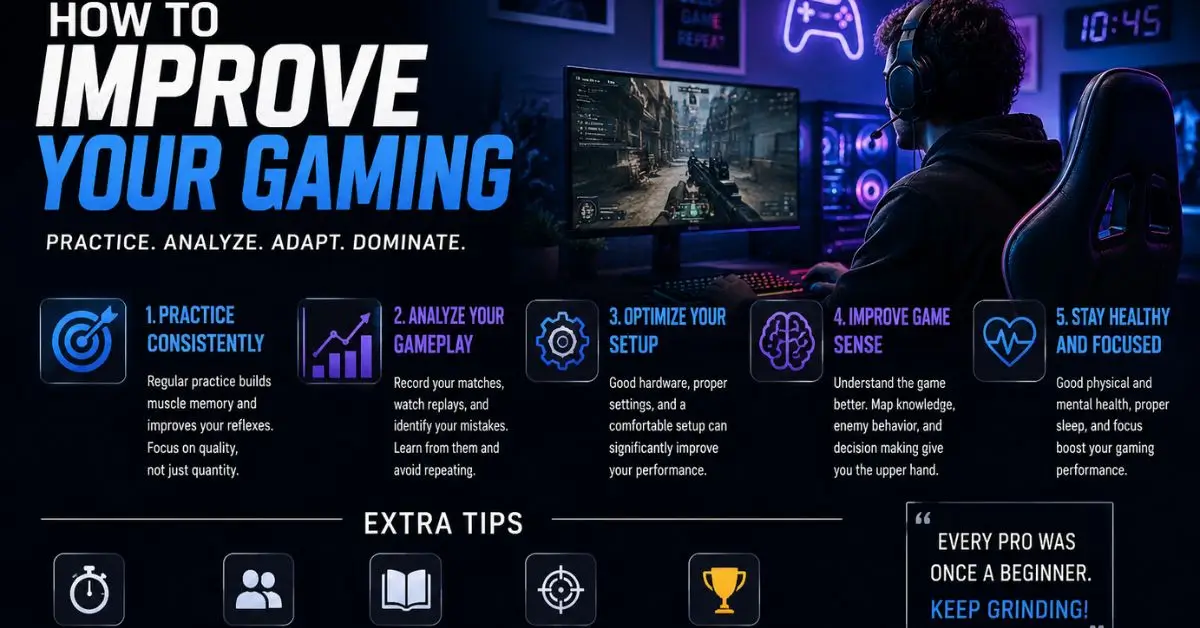
Most gamers hit a wall at some point. Your reaction time feels slow, your setup feels outdated, or you keep losing matches you should be winning. You know you can do better, but you are not sure where to start.
That is a frustrating place to be, especially when generic advice like “just practice more” does not actually fix anything.
This guide breaks down exactly how to improve your gaming using practical strategies, smart tools, and the kind of modifications and tweaks that platforms like LCFTechMods specialize in. Whether you are a casual player or working toward competitive play, every section here is built to give you something actionable.
Improving your gaming through platforms like LCFTechMods means using a combination of software tools, hardware optimizations, game modifications, and performance settings to get more out of every session. LCFTechMods focuses on helping players access tech-driven solutions mods, tweaks, and configurations that directly impact gameplay quality and overall experience.
To improve your gaming with LCFTechMods-style strategies, focus on optimizing your hardware settings, using performance-enhancing mods, improving your in-game configurations, practicing with purpose, and building better habits around your setup and routine. Small, consistent improvements compound quickly.
Before jumping into what works, it is worth understanding why so much gaming advice does not stick.
Most tips focus on one thing in isolation: buying a better mouse, watching pro streams, and grinding ranked matches. But gaming performance is a system. Your frame rate, your input settings, your mental state, your hardware, and your game knowledge all work together. Improving one thing while ignoring the others produces limited results.
The approach used by resources like LCFTechMods is different. It treats gaming improvement as a technical challenge with a technical solution, one where the right combination of mods, optimizations, and informed choices creates a noticeably better experience.
That is the framework this guide follows.
You cannot improve what you have not measured. The first step is understanding where your current setup stands.
Check your frame rate and performance stats. Most games have a built-in FPS counter, or you can use free tools like MSI Afterburner to monitor your frame rate, CPU load, GPU temperature, and RAM usage in real time. If your frame rate is inconsistent, jumping between 60 and 120 FPS mid-match, that inconsistency is likely hurting your aim and reaction time more than any skill gap.
A stable 60 FPS consistently beats an unstable 120 FPS in practice. Consistency matters more than peak numbers.
Match your settings to your hardware honestly. Running ultra settings on a mid-range GPU feels good visually but tanks performance. For competitive play especially, dropping visual settings to medium or low and prioritizing frame rate is almost always the right call. Visibility and smoothness beat eye candy every time.
Look at your peripherals: You do not need to spend $200 on a mouse. But your monitor’s refresh rate matters a lot. If you are playing on a 60Hz screen and your friends are on 144Hz, they are seeing the game update more than twice as fast as you. A 144Hz monitor in the $150–$200 range on Amazon US is one of the highest-value upgrades most gamers can make.
This is where the LCFTechMods approach really comes into its own. Mods and technical tweaks are not just for aesthetics; they can meaningfully change how a game performs and feels.
Performance mods reduce the graphical load of a game without making it look worse in ways that affect gameplay. In games like Minecraft, for example, performance mods like Sodium or OptiFine can double or triple your FPS on the same hardware. That is not a small difference; it changes the entire feel of the game.
Config file tweaks go even deeper. Many PC games store their settings in editable text files. Adjusting values like mouse input sensitivity curves, render distances, network tick rates, and shadow resolution directly in those files gives you control that in-game menus do not offer. LCFTechMods and similar platforms often publish specific config recommendations for popular titles.
Audio mods are underrated. Hearing footsteps clearly, distinguishing directional audio, and reducing background noise in your headset all contribute to awareness. Some games benefit dramatically from audio mods that rebalance sound mixing toward competitive play.
One important note: always use mods from trusted sources. Check community forums, platform pages like LCFTechMods, and Reddit threads specific to your game. Poorly made or outdated mods can cause crashes, corruption, or performance drops. Trusted sources reduce that risk significantly.
Even without mods, your in-game settings have a bigger impact than most players realize.
Mouse sensitivity is the most personal setting you have, but there are general principles. Most professional FPS players use lower sensitivity than beginners expect. A lower sensitivity gives you more control over precise movements and reduces overshooting targets. If you are constantly over-aiming, try reducing your sensitivity by 20% and giving it two weeks of adjustment time.
Field of View (FOV) settings affect how much of the game world you can see at once. A higher FOV gives you more peripheral awareness but can make targets appear smaller. The sweet spot for most FPS games is between 90 and 110 degrees.
Keybinds are worth reviewing every few months. What felt natural when you started may not be optimal now. Many experienced players bind crouch to a thumb button on their mouse so their fingers never leave WASD. Small ergonomic improvements reduce fatigue during long sessions and improve consistency.
Network settings matter for online play. Check your ping before matches, use a wired Ethernet connection instead of Wi-Fi whenever possible, and make sure no background applications are eating your bandwidth. A stable 40ms connection almost always performs better than a faster but fluctuating Wi-Fi connection.
Raw hours do not equal improvement. Deliberate practice does.
Aim trainers like Aim Lab or KovaaK’s are free or low-cost tools that let you practice aiming mechanics in isolation. Spending 15–20 minutes in an aim trainer before your gaming sessions warms up your motor skills the same way an athlete warms up before competing. Many top players swear by this habit.
Review your own gameplay. Record your sessions using software like OBS (free) and watch them back. You will notice patterns mistakes you make repeatedly, positioning errors, moments where your decision-making slowed down. Reviewing footage is one of the fastest ways to identify and fix specific problems.
Play with purpose. Grinding ranked matches while playing carelessly reinforces bad habits. Instead, pick one specific thing to improve per session like checking corners, managing cooldowns, or communicating with teammates and focus on that one thing. This targeted approach produces faster, cleaner improvement than just playing volume.
Take breaks. This sounds counterintuitive, but fatigue is a real performance killer. After 90 minutes of focused play, your reaction time, decision-making, and aim all decline measurably. Short breaks keep you sharper longer. Serious players treat this as a discipline, not an excuse.
You do not need to rebuild your entire setup to see real improvement. Prioritize the upgrades that give the most return.
| Upgrade | Impact Level | Approximate Cost (USD) | Worth It First? |
|---|---|---|---|
| 144Hz Monitor | Very High | $150–$200 | Yes |
| Wired Ethernet Connection | High | $10–$20 (cable) | Yes |
| Mechanical Keyboard | Medium | $50–$120 | Maybe |
| Gaming Headset with Good Audio | Medium-High | $50–$100 | Yes |
| High-DPI Gaming Mouse | Medium | $40–$80 | Depends |
| Better GPU | Very High | $250–$500+ | When budget allows |
Start with the highest-impact, lowest-cost upgrades first. A wired connection and a 144Hz monitor will change your experience more noticeably than a premium mechanical keyboard on a bad internet connection.
Skill and setup matter, but mindset affects both.
Tilt management — staying calm after losing streaks or frustrating moments — separates improving players from stuck players. Playing angry is playing worse. If you feel yourself getting frustrated, a five-minute break genuinely resets your performance level.
Learn from losses, not just wins. It is tempting to quit a game you lost without thinking about it. But losses are where your weaknesses show up most clearly. Ask yourself one honest question after a bad match: what could I have done differently? Not “what did my teammates do wrong” — what could you have controlled better.
Set realistic progression timelines. Improving at a competitive game takes weeks and months, not days. Players who expect rapid improvement often give up just before their practice starts showing results. Set small, measurable goals — like increasing your win rate by 5% over the next month — rather than vague ones like “get better.”
Improving at gaming is not about one magic fix. It is about building a system — the right settings, the right tools, the right habits, and the right mindset all working together.
Using the kind of approach that platforms like LCFTechMods promote, you can learn how to improve your gaming lcftechmods style in a way that is technical, informed, and genuinely effective. Start with your baseline, optimize your setup, use trusted mods smartly, practice with intention, and stay consistent.
The gap between an average player and a noticeably better one is often not talent. It is method.
If you want to go deeper, check out our guide on the best gaming performance tools available for PC players, or read through our breakdown of how to set up a competitive gaming configuration from scratch. Both connect directly to the ideas covered here.
What does LCFTechMods offer to help gamers improve?
LCFTechMods is a technology and gaming resource that provides mods, configuration guides, performance tweaks, and tool recommendations. It helps players get more out of their existing hardware and games through technical, informed solutions rather than just generic advice.
Players looking to learn how to improve their gaming LCFTechMods style will find that the platform focuses on practical, technical improvements the kind that produce measurable results rather than just theory.
How can I improve my FPS in PC games?
You can improve your FPS by lowering in-game graphics settings, updating your GPU drivers, closing background applications, and using performance mods where available. Tools like MSI Afterburner help you monitor performance in real time and identify bottlenecks.
For games that support it, config file tweaks can unlock additional frame rate improvements beyond what the in-game settings menu allows.
Are gaming mods safe to use?
Gaming mods are generally safe when downloaded from reputable sources like official mod platforms, trusted community sites, or recommended lists from platforms like LCFTechMods. Always avoid mods from unknown or unofficial sources, and keep backups of your game files before installing anything.
Check community reviews and update dates before installing any mod. Outdated mods for patched games are a common source of crashes and performance issues.
How long does it take to noticeably improve at gaming?
Most players notice measurable improvement within two to four weeks of deliberate practice. Significant skill progression typically takes two to three months of consistent, focused effort. Results depend heavily on how intentional your practice is, not just how many hours you play.
Do I need expensive gear to improve my gaming?
No. While quality gear helps, the biggest performance gains come from software and settings optimization, deliberate practice habits, and smart configurations — none of which cost much. A 144Hz monitor and a wired internet connection are the only hardware upgrades most players genuinely need early on.
Start by measuring your current performance, checking your FPS, testing your internet stability, and record one of your gameplay sessions. Identifying your actual weaknesses is more productive than guessing at solutions.